
Become the designer companies fight to hire for the AI-native roles, paid the most, from anywhere
The best-paid design niche right now is the AI-native operational product. Go from decorating screens to designing the data-heavy products companies are racing to build, and directing AI as your design collaborator.
Instant PDF download · Lifetime access · Free future updates · 30-day money-back
🔒 Secure checkout · All prices in USD.
Everything in the bundle
- The dashboard that showed everything and said nothing
- What the operator needs to see in the first three seconds
- The table that is secretly the whole product
- Ten thousand rows and one decision to make
- The states nobody designed: empty, loading, error, too much
- Designing the workflow, not the screen
- Forms that don't punish the person filling them
- Density without the clutter
- When someone lives in your tool eight hours a day
- Showing the machine's work inside an operational tool
- … and more
- Introduction: the chat box bolted onto the wall, and the feeling nobody can name
- The forty clicks that were never the point
- Why "powerful" software needs a $2,000 training course
- What the user typed is only 5% of what they meant
- A single Execute button is a coin toss
- Three tasks before lunch, none want the same interface
- Between the silent black box and the firehose
- The morning the AI skipped "are you sure?"
- Take EU down to 80% without learning where the knob lives
- The AI did the thinking and handed you the typing
- … and more
- The feature we shipped that nobody used
- Asking the question research can actually answer
- Talking to users without leading them
- Finding the five people who matter
- Watching someone use it and shutting up
- The survey that told me nothing
- Reading what people do, not what they say
- Ten messy interviews into one clear decision
- The insight that moved the roadmap
- Research with no time and no budget
- … and more
- The day engineering rebuilt my design from scratch
- Why my file breaks every time I move one thing
- The same button in forty places
- My design system is a page of loose rectangles
- Light, dark, and the client who wanted their own colors
- Making it feel real before a line of code
- The prototype that lied to me
- Handing off so engineering builds it once
- The four-thousand-layer file nobody could open
- The same screen at three sizes without losing my mind
- … and more
- The product that looked like five products
- Where a design system actually starts
- Naming the thing so people can find it
- One button, every case, no exceptions
- Right in Figma, wrong in code
- Color, type, and spacing that survive a rebrand
- Accessibility you don't bolt on later
- When a component isn't enough
- The doc nobody read and the doc everyone uses
- Who's allowed to change the system
- … and more
- The designer who got faster than the whole team
- Why "make me a dashboard" gives you garbage
- Blank canvas to twenty directions in an hour
- Prototyping in real code without becoming an engineer
- Generating UI you'd actually ship
- Teaching the AI your design system
- The taste the model doesn't have
- The loop: plan, generate, review, repeat
- Research and synthesis at ten times the speed
- Handing AI-made design to engineers
- … and more
- The plan that shipped the wrong thing
- The feature they asked for is the wrong place to start
- Why "build a settings page" tells your team nothing
- Six weeks of work and nothing a user can touch
- How a great team ends up building what mattered least
- The plan that died of reasonable requests
- The roadmap that does not lie
- Planning when every date is a guess
- The surprise that blows up in week ten
- When following the plan is the wrong call
- … and more
- The demo where the thing crashed in front of the whole company
- I have fifteen minutes with the people who decide. What do I actually want them to do?
- They have never seen my project. How do I make them care in the first minute?
- I built forty things and I have ten minutes. What do I actually show?
- The one thing I did not test is about to break in front of everyone. How do I stop that?
- The room goes quiet and someone asks the one question I cannot answer. Now what?
- It works and they nodded. So why did I walk out with nothing?
- The demo that got me the budget, and the engineer it turned me into
Right now, maybe this is you:
- You watch the AI-native, remote, best-paid design roles get filled by other people, and you can't name the one thing you're missing.
- You can polish a screen, but you've never designed the dense, data-heavy operational product a real company runs on.
- AI is reshaping design around you, and you're stuck reacting to it instead of directing it.
In no time, you could:
- Design the data-heavy, AI-native operational products companies are racing to build, the hottest and best-paid niche in design.
- Get hired remotely or take on freelance clients, set your own rates, and work from anywhere in the world.
- Direct AI as a design collaborator and outpace whole teams, the rarest edge a designer can offer right now.
Roles you could apply to
Real, current openings for this track. Learn the skills in this pack and you could apply to roles like these.
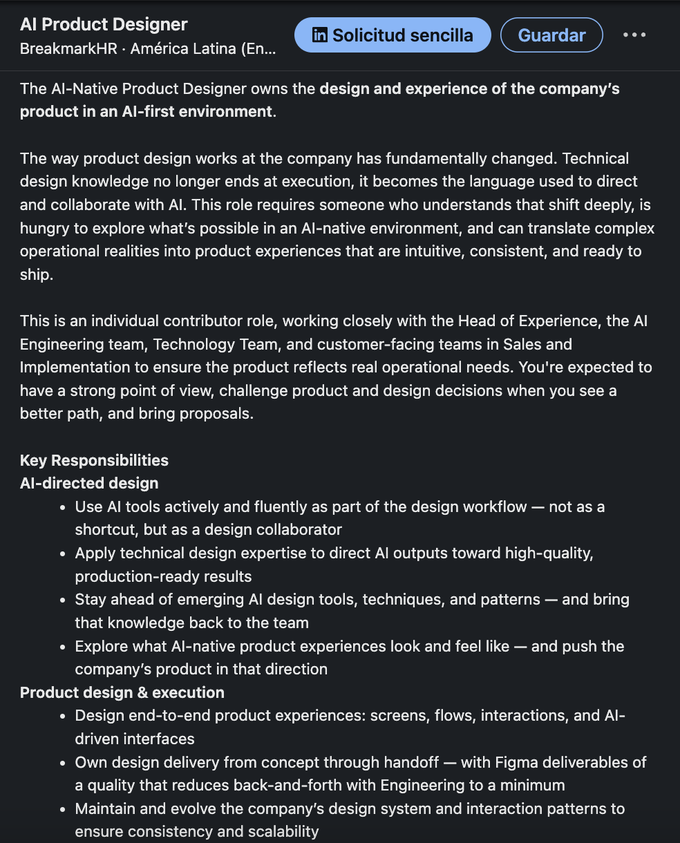
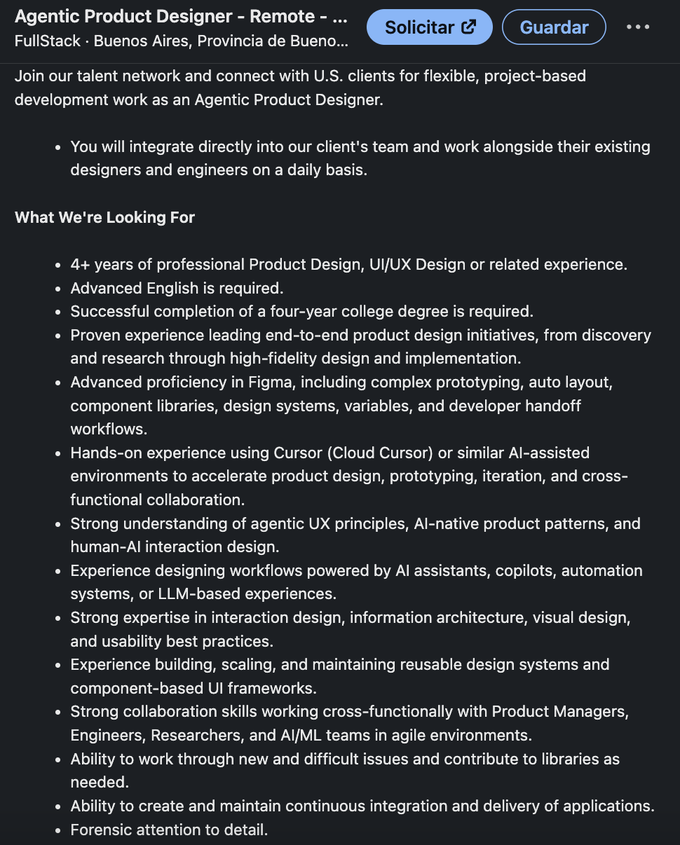
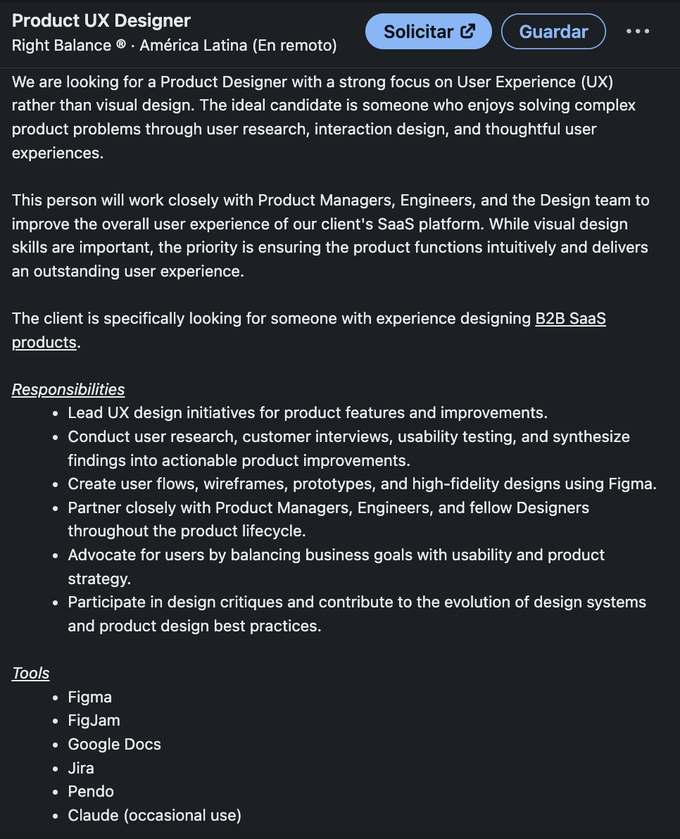
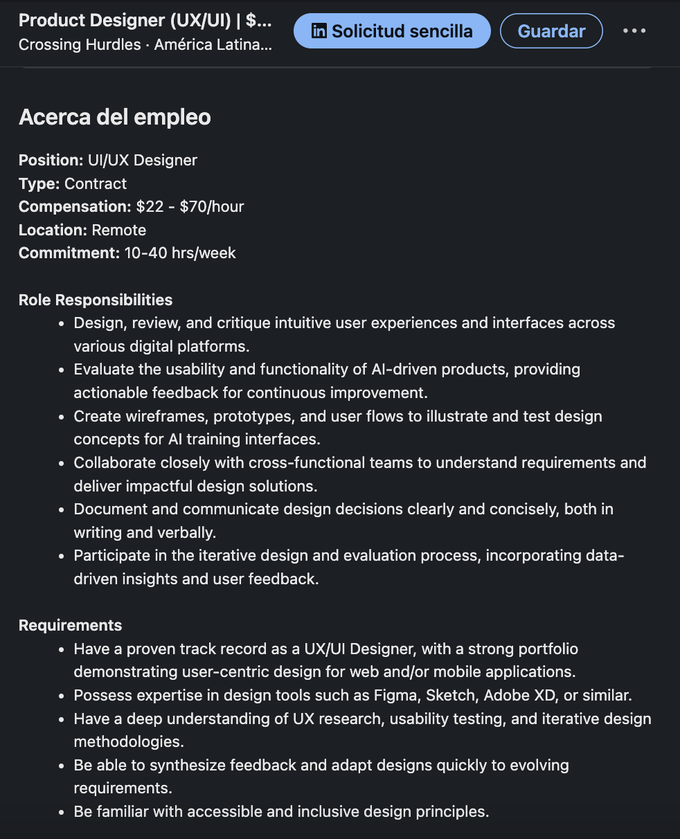
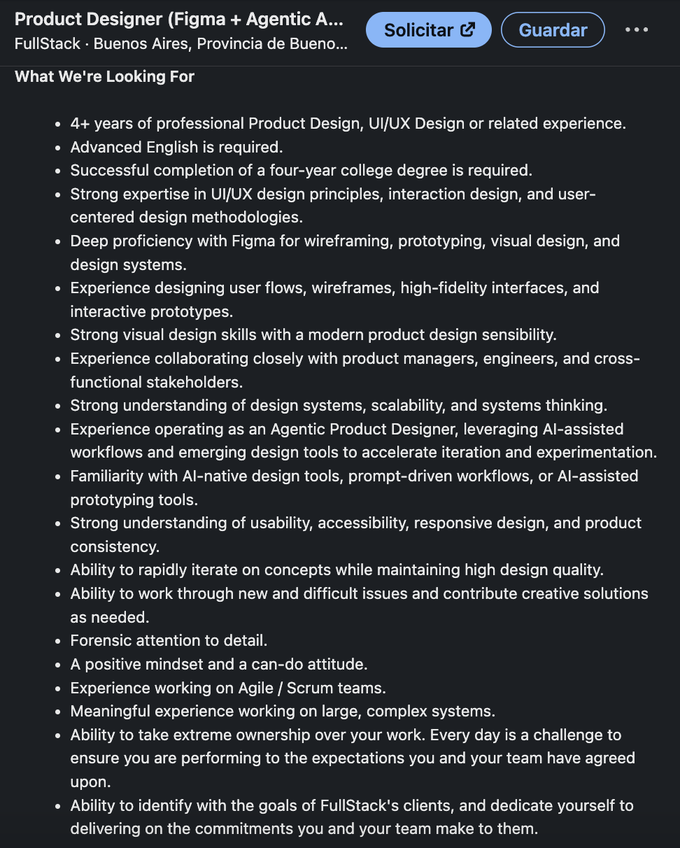
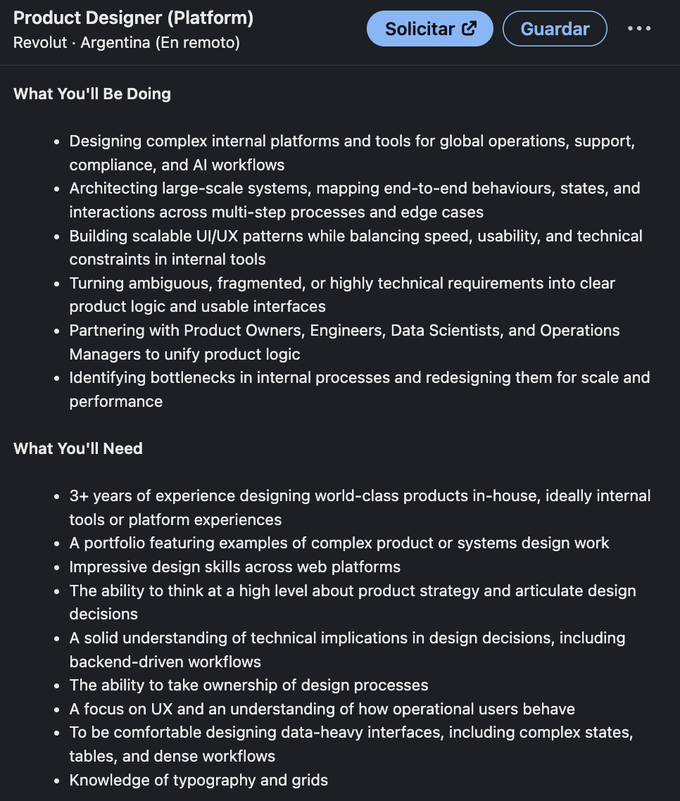
There are plenty of openings like these right now, and demand for this profession looks to be growing. The more of this you can do, the more doors tend to open.
These are real postings shown as examples. We don't recruit for them and can't promise you'll be hired. What you do with the skills is up to you.
Written by

I write the guides I wish I had when I started: distilled from real production work, incidents, and code reviews, not from documentation. Every guide teaches the decisions that matter once a system meets real traffic.
Instant PDF download · Lifetime access · Free future updates · 30-day money-back
🔒 Secure checkout
And there's more, free bonuses
Because you're buying today, these are yours at no extra cost:
- The day I stopped writing CSS and started reviewing it
- Why the box is wider than the number you gave it
- Why your two boxes won't sit side by side
- The row that looks perfect until one item gets long
- How to build a real layout without a pile of nested divs
- The menu that hides behind everything else
- The magic 340 pixels that break on the next screen
- It looks right on my laptop and collapses on a phone
- Why the text is technically there but nobody can read it
- The gray text that passes review and fails a real user
- … and more
- The day the agent writes all your React
- The one idea that catches most agent bugs
- Reading the agent's components without missing the trap
- Why state is still the old value right after you set it
- The hook inside an if that breaks everything below it
- The array that decides when an effect runs
- What breaks when the user clicks faster than the network
- Why one keystroke re-renders half the app
- When the form won't let the user type
- Optimizations that cost you and do nothing
- … and more
- The project that was on fire for weeks, and I told no one until it was too late
- My manager keeps asking where things stand. How do I get ahead of that for good?
- I am stuck and I do not want to look like I cannot handle it. When do I say something?
- I gave a date and now it is slipping. What do I do before it becomes a lie?
- Something is going wrong and I am hoping it fixes itself. How do I say it without it blowing up on me?
- An exec is going to skim this in ten seconds. How do I make the one thing land?
- I do good work and the loud guy gets the credit. How do I get seen without turning into him?
- The engineer they hand the important thing to, because they always know where it stands
Everything you get
One payment. Yours to keep.
-
InterfacesDesign the data-heavy tools a business actually runs on, and become the designer they can't run without, the B2B skill that pays and that most designers never learn
$99.99 -
UX-Native AIDesign the AI products people actually trust, and become the one who knows how while everyone else is bolting a chat box onto the side
$99.99 -
User ResearchMake design decisions nobody in the room can argue with, and stop losing the call to whoever talks loudest, the skill that turns you from a taste to a source of truth
$99.99 -
FigmaBuild Figma files engineering ships without rebuilding, and become the designer they trust instead of redraw, the handoff skill every job post now demands
$99.99 -
Design SystemsOwn the system the whole product is built on, and become the designer a growing company can't scale without, the skill that turns one person into leverage for everyone
$99.99 -
Claude DesignDirect AI as a design collaborator and out-ship a whole team, the AI-native skill every product-design job now screens for, so the tool multiplies you instead of replacing you
$99.99 -
Product PlanningBecome the lead who turns a vague goal into a plan that ships the right thing, the judgment that earns you a seat at the table.
$99.99 -
DemosShow your work to the people who fund it so it lands, tell a story instead of touring features, kill the live-demo disaster before it happens, and walk out of the room with the yes, the budget, and the credit
$99.99 -
BONUS CSSUnderstand how your designs are really built, so engineering ships what you intended and stops trimming it down.
$99.99 -
BONUS ReactSpeak the language your product is built in, and become the designer engineers actually want in the room.
$99.99 -
BONUS CommunicateMake your ideas impossible to ignore, so your work gets shipped and you get the credit.
$99.99 - Lifetime access + every future updateNo extra cost, ever ∞
Real value of everything above
$1099.89
Today's price
$179.00 Save 78%
One-time payment · Lifetime access · No surprises
🔒 Secure checkout · All prices in USD.
Closer to the career, or your money back
Work through any guide, apply it to a real project, and if you don't feel closer to doing this work professionally, email us within 30 days for a full refund.
The course keeps growing. You keep all of it.
You pay once and get lifetime access. Every time we improve a guide, add new chapters, new videos or new exercises, it lands in your library at no extra cost, forever.
- New chapters and rewrites as the field moves
- New videos and walkthroughs
- New exercises and templates
- Lifetime access, no subscription, no renewals
Answer your doubts before you decide.
Isn't all this free on YouTube and the official docs?
The docs teach the tool; these teach the decisions and the failure modes the docs skip. You pay to skip months of trial and error and learn what only shows up in production.
Is it useful if I already know the basics?
Yes. The guides go to the production decisions and failure modes most people learn the hard way, not the introductory material.
Is it beginner or advanced?
Written for anyone who already writes code. They go straight to the decisions, so you skip the filler whatever your level.
Is it theory or practice?
Practice. Real functions, real failures, real reviews, walked step by step, not abstract theory.
How do I get them, and in what format?
Instantly, as PDFs you download the moment you buy, on any device, and keep forever.
Will they become outdated?
The decisions and failure modes outlast any version, and every update is free for life.
What if it's not for me?
If a guide hasn't helped within 30 days, email us and we refund everything.
You keep decorating screens and stay where you are while the AI-native roles fill up. Or You design the AI-native products companies fight to hire for, and open the door to the best-paid, remote work in design.
You design the data-heavy, AI-native operational products companies are racing to build, and direct AI as a design collaborator, the hottest and best-paid design niche right now, work that pays top rates and usually runs remote.
I'm starting today →Instant PDF download · Lifetime access · Free future updates · 30-day money-back